Review: Microsoft Surface Laptop Studio 2
Who is this for?
- Creative founders & UX specialists
- Product managers & agile leaders
- ️ Users who need a pen-first digital workspace
Who should skip?
- ️ Pure backend engineers (Go/Rust/C++)
- Heavy outdoor users (Glossy screen)
- Value-seekers (High price-to-performance ratio)
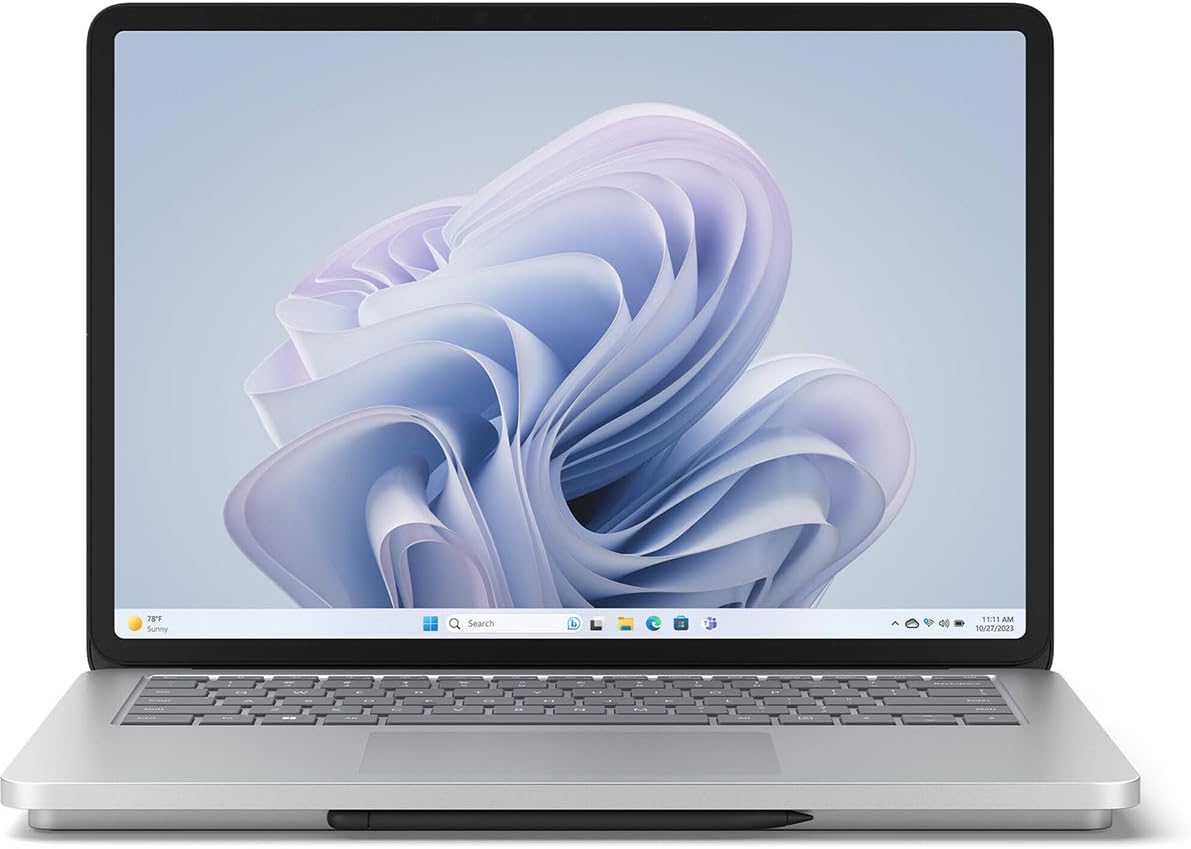
For agency founders, UX designers, and C-level executives, agility is just as important as raw computing power. The Microsoft Surface Laptop Studio 2 bridges the gap between heavy-duty task management and dynamic boardroom presentations.
Key Specifications & Comparison
| Feature | Surface Laptop Studio 2 | Standard 2-in-1s |
|---|---|---|
| Form Factor | Floating Pull-Forward Screen | 360-degree Hinge (Awkward) |
| Performance | High-Wattage H-Series CPU | Low-Wattage U-Series CPU |
| Collaboration | 1080p AI-Enhanced Camera | Standard 720p/1080p |
Simplified Specs for Agile Managers
Pull-Forward Display:
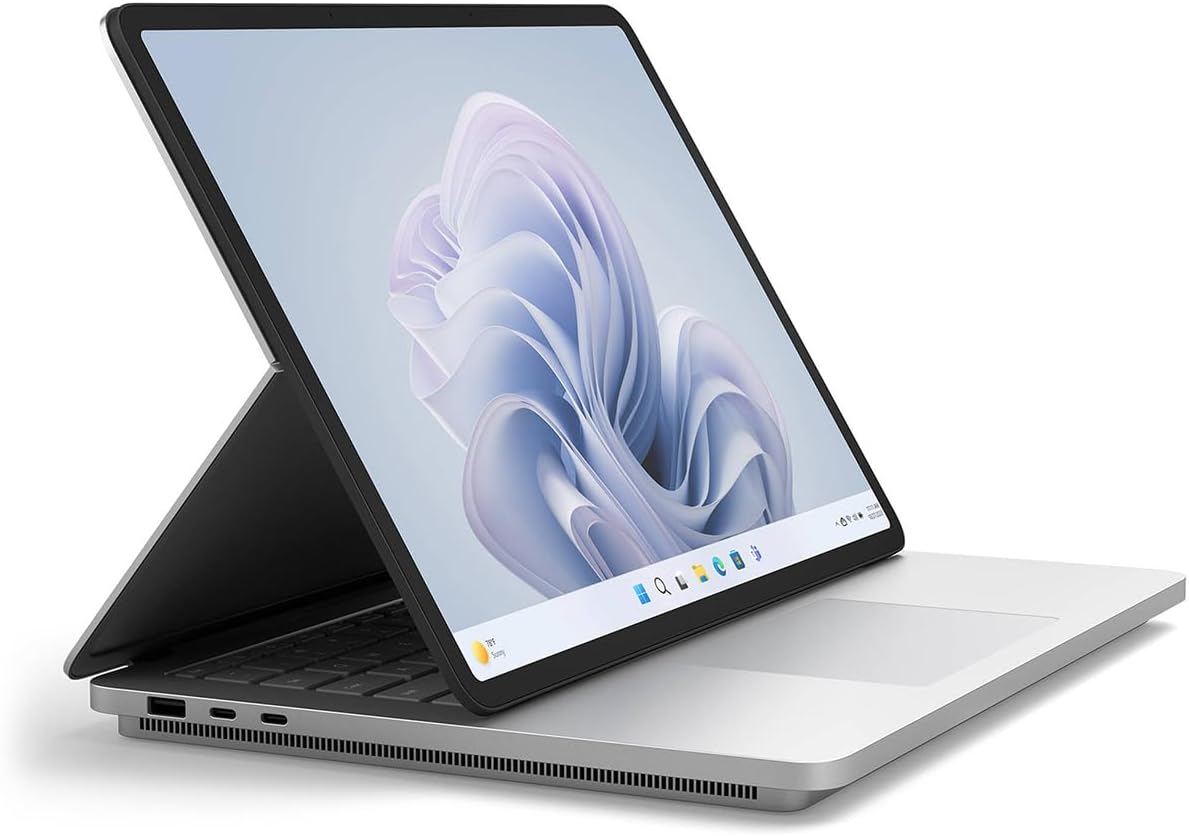
Think of this like a transformer. It goes from a standard
laptop for emails to a tilted tablet for sketching ideas or presenting to a
stakeholder.
NVIDIA RTX GPU:
This is the "engine" that lets you render complex 3D models or
AI-generated visuals instantly during a high-stakes meeting.
Pros and Cons
The Good
- Unrivaled versatility for pitching and design
- Elite haptic touchpad and keyboard experience
- Brilliant 120Hz PixelSense Flow touchscreen
The Bad
- Significantly heavier than the Surface Laptop 6
- High MSRP for the unique form factor
- Slim Pen 2 sold separately
Business Use Cases
- The Product Manager: Review wireframes in Studio Mode, write PRDs in Laptop Mode, and present to stakeholders in Stage Mode without switching devices.
- The UX/UI Lead: Precise digital inking and high color accuracy make it a formidable station for Figma, Adobe Creative Cloud, and rapid prototyping.
- The Hybrid Executive: Look your best on LinkedIn/Zoom with the AI-powered Studio Camera and automatic framing during remote C-suite calls.
Elevate your management workflow.
Equip your leadership team with the benchmark hybrid workstation.
Check Current Price on AmazonAlternative Solutions
If you don't require a convertible touchscreen, explore these specialized workstations:
- Apple Efficiency: For peak battery life and Unix environments, consider our MacBook Pro M4 Pro Review .
- Windows Enterprise: For traditional heavy compilation in visual studio without the hybrid screen mechanism, view the Dell XPS 15 Analysis .
Final Recommendation
The Surface Laptop Studio 2 is the only device on the market that successfully bridges the gap between a high-end workstation and an agile creative tablet without making massive compromises. While it is heavier than a standard ultrabook, the utility of its 'Easel Mode' for design reviews and digital illustration is unmatched. For the hybrid creative professional, this is the machine.
The 2026 Laptop Combat Hub
See how the Surface Studio 2 holds up against the MacBook Pro in our forensic showdown.
MacBook vs Dell XPS vs Surface Studio →Expert Analysis: FAQ
Is this suitable for heavy software development?
Yes, the H-series i7 processor is fully capable of running development environments and VMs. However, for pure compilation speed, the Dell XPS 15 is slightly more efficient due to better sustained thermals.
Does the Surface Slim Pen 2 come included?
Usually, the Slim Pen 2 is sold separately. It stores and charges magnetically under the front lip of the keyboard, making it a mandatory accessory for creative leads.
How does it fare in corporate Zoom/Teams calls?
Brilliantly. It features a 1080p Studio Camera with wide field-of-view and AI-powered Windows Studio Effects like automatic framing and eye contact correction.
Looking for a Budget Alternative?
If you love the 2-in-1 form factor but want to save $1,000+, the Surface Pro 9 (i5/16GB) is a fantastic alternative for students and mobile freelancers. It handles all document and web tasks with ease.
Check Current Price on Amazon →