LG 27US500-W Ultrafine Review: The Budget 4K Monitor for Remote Work
Who is this for?
- Writers & Programmers who need sharp text
- Remote workers expanding their home office
- Students on a budget doing research
- Casual content creators needing IPS colors
Who should skip?
- Competitive gamers (needs 144Hz+)
- Users requiring one-cable USB-C power delivery
- High-end professional color graders
A secondary monitor is often the single most impactful upgrade you can make to a remote workspace. However, the market is flooded with massive, expensive curved ultrawides and hyper-fast gaming monitors. What about the students, writers, and freelance professionals who simply need a clean, sharp, beautifully colored display for getting work done without emptying their wallet?
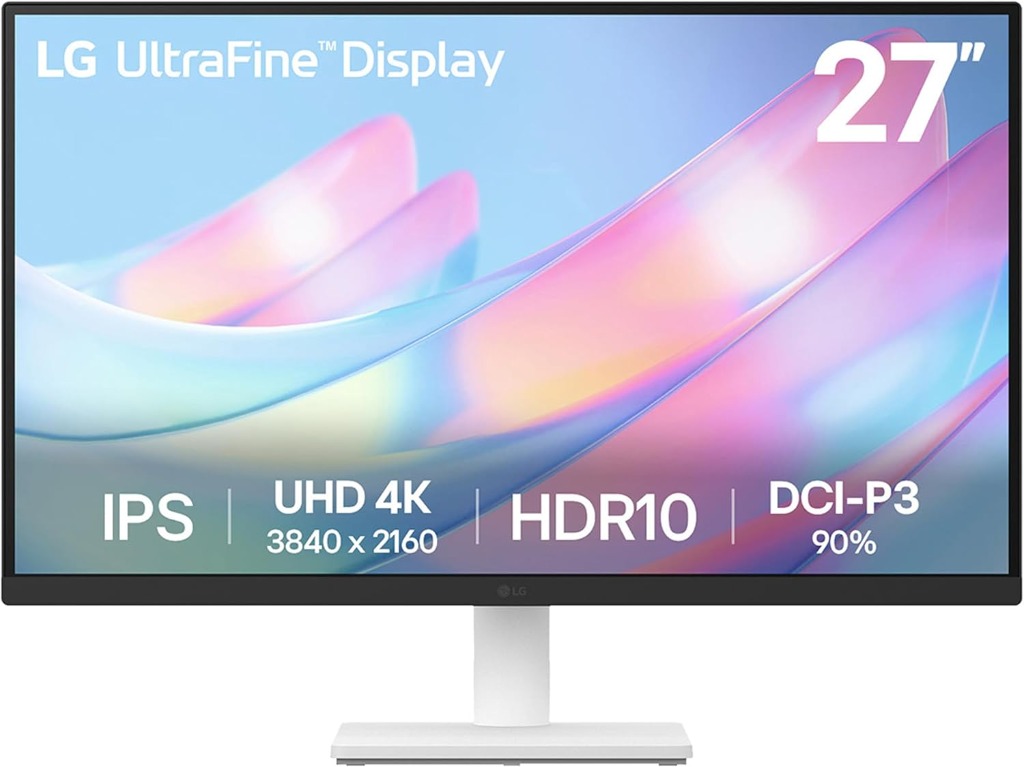
Enter the LG 27US500-W Ultrafine . Sitting at the sweet spot of 27 inches, this 4K monitor prioritizes the exact features modern digital workers actually need: incredible text clarity, vibrant colors, and eye-care features, avoiding the bloated price tags of "flagship" displays.
Design & Ergonomics: Minimalist and Borderless
The LG 27US500-W features a virtually borderless design on three sides. If you decide to buy two of these to create a dual-monitor setup later, the thin bezels make the transition between screens feel natural and unintrusive. The white and silver aesthetic offers a refreshing, clean alternative to the heavily aggressive black-and-red styling found on many gaming monitors, ensuring your home office actually looks like a professional workspace.
Why 4K on a 27-inch screen?
The Retina Effect: Packing 4K (3840x2160) resolution into a 27-inch frame results in extremely high pixel density. This means that text, code, and UI elements will look incredibly smooth, practically eliminating pixelation. For those of you suffering from eye strain after reading on a 1080p screen all day, this jump in sharpness is profound.
Pros and Cons
The Good
- Flawless text clarity and sharpness
- IPS Panel offers excellent viewing angles and color
- Flicker Safe & Reader Mode for long work sessions
- Highly affordable compared to premium 4K models
The Bad
- No USB-C Power Delivery (cannot charge your laptop)
- Standard 60Hz refresh rate (not for hardcore gaming)
- Basic included stand lacks extensive height adjustment
Give your eyes a break.
Upgrade your home office with stunning 4K clarity.
Check Current Price on AmazonReal-World Use Cases
- The Remote Worker: By using LG's "OnScreen Control" software, you can easily divide the massive 4K workspace into multiple split-screen zones, easily snapping Slack, email, and your browser into distinct areas.
- The Student: The "Reader Mode" function reduces blue light to help lessen eye fatigue, providing optimal conditions for reading long research papers and textbooks deep into the night.
- The Side-Hustle Creator: Since it utilizes an IPS panel equipped with HDR10, the color accuracy is highly reliable. Whether you are doing light photo editing in Lightroom or assembling YouTube videos, what you see is what you get.
Making Up for the Shortcomings
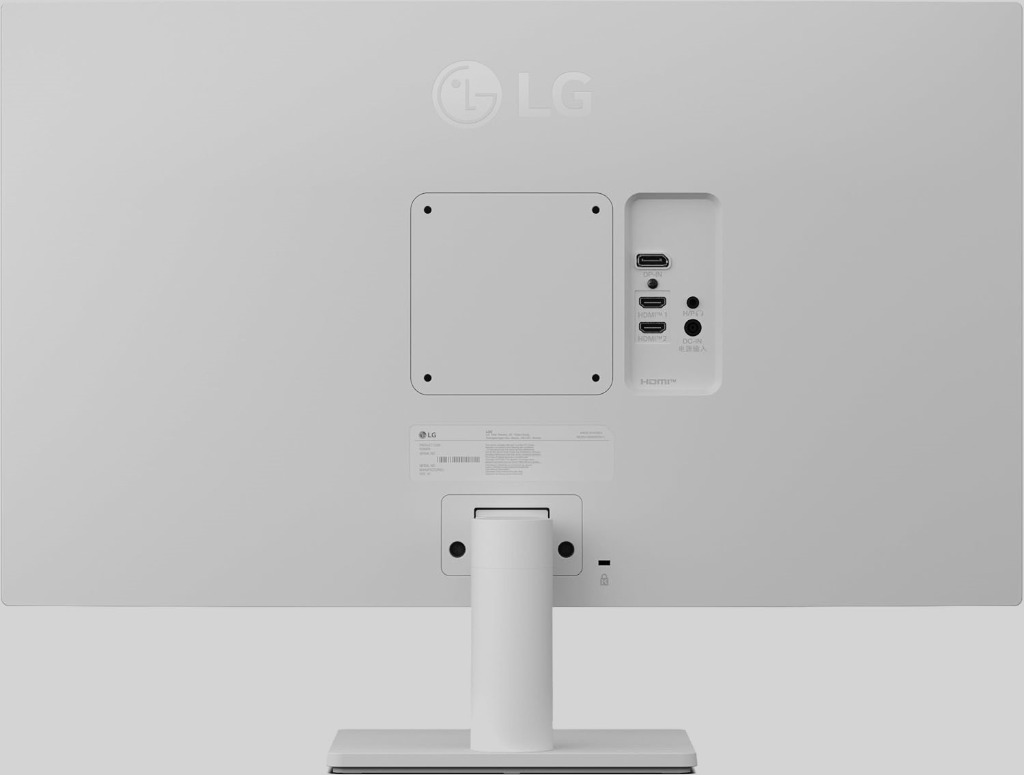
To hit its attractive price point, LG omitted premium connectivity like Thunderbolt or USB-C charging. This means you will need an HDMI or DisplayPort cable running to the monitor, and a separate charger for your laptop. For many, this is barely an inconvenience. However, if you are striving for a perfectly clean, one-cable desk setup, you might want to look at pairing this monitor with a high-end Thunderbolt Dock (like the upcoming review of the Dell Thunderbolt 4 Dock) or look toward slightly more expensive displays with built-in USB-C hubs.
The Final Verdict
The LG 27US500-W is exactly what a productivity monitor should be: sharp, color-accurate, and reasonably priced. By shedding niche gaming features and expensive premium hubs, LG delivers raw panel quality to the masses. For anyone looking to dramatically elevate their daily tech stack without overspending, this monitor earns our absolute highest recommendation.