The Best Ultrawide Monitor for Productivity (2026)
The standard 16:9 monitor has been the bedrock of digital work for over two decades. However, the rise of remote work has fundamentally changed how we manage our digital real estate. Managing a dense Slack channel, a live video feed, two reference browser windows, and an IDE simultaneously on a single 27-inch screen is a logistical nightmare. The traditional solution bolting two monitors together down the middle of a desk introduces a massive, distracting plastic bezel exactly where your eyes naturally want to rest.
Enter the 21:9 ultrawide monitor. By offering a continuous, sweeping canvas of high-resolution pixels, ultrawide displays have become the most impactful hardware upgrade a remote professional can make. Whether you are scrubbing through a sprawling 4K video timeline or cross-referencing expansive financial spreadsheets, the logistical friction of constant window-switching evaporates. Looking across the wider landscape, be sure to reference our comprehensive Pillar Guide on the Best Ultrawide Monitors .
For this specific deep dive, we evaluated the bleeding edge of the 2026 market to determine which ultrawide reigns supreme specifically for grueling, eight-hour productivity stints.
Top Picks Breakdown
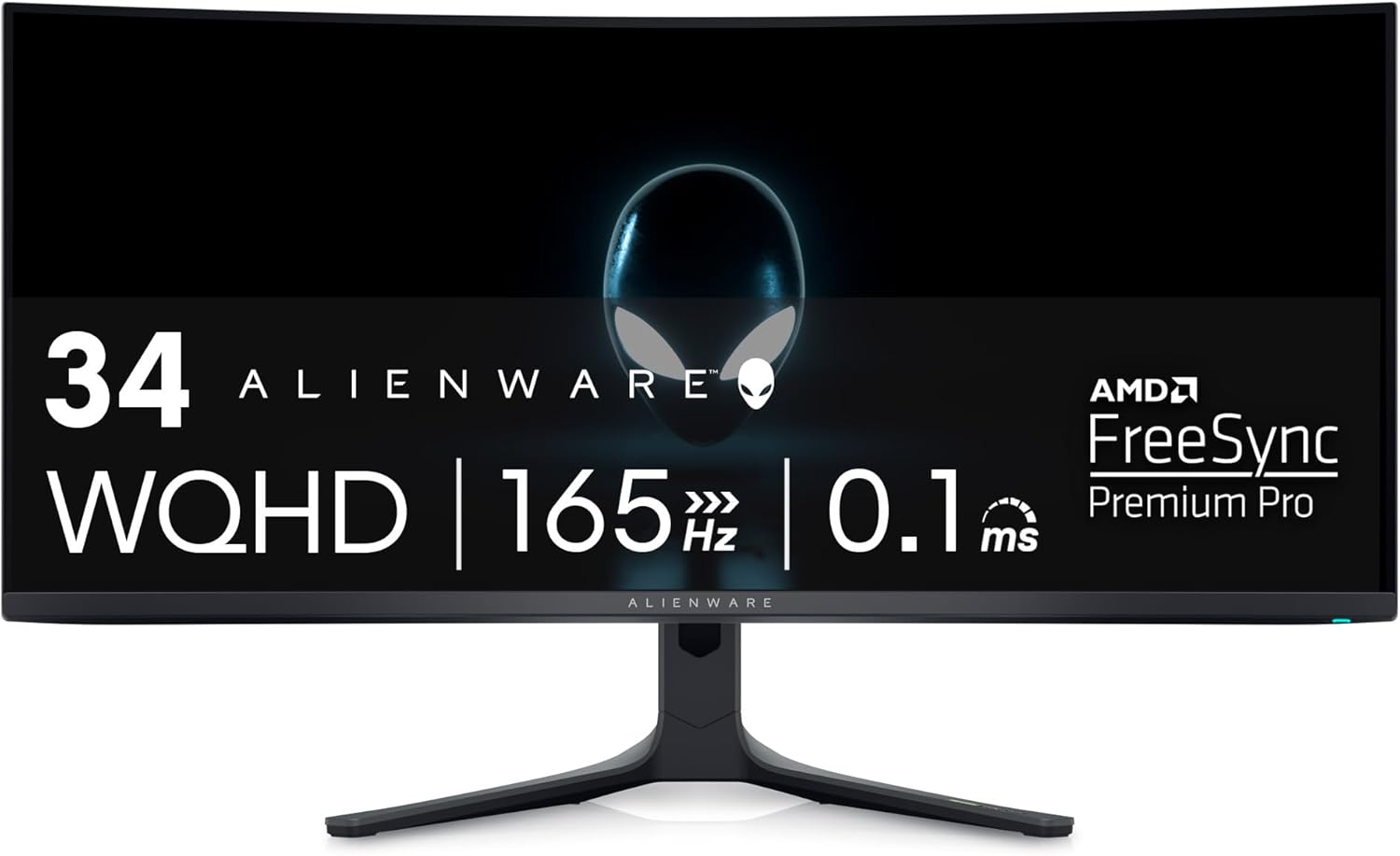
1. Alienware AW3423DWF (Best Overall for Productivity and Contrast)
There was a time when recommending an "Alienware" monitor for a serious, corporate remote worker would seem abrasive. The AW3423DWF breaks that stigma permanently. It utilizes Samsung's phenomenal Quantum Dot OLED (QD-OLED) panel, resulting in infinite contrast ratios. This means reading stark white code on a pitch-black background in "Dark Mode" produces utterly zero light bleed or haloing around the text, which drastically reduces eye strain over a ten-hour workday.
Its 34-inch spread utilizes a gentle 1800R curve. This is the optimal curvature for productivity: it brings the extreme left and right edges of the screen slightly forward, matching the natural curvature of the human eye so you don't have to constantly refocus your lenses when glancing at periphery data. The 3440 x 1440 resolution provides a staggering 109 pixels per inch (PPI), rendering text cleanly and keeping vector graphics sharp.
Dell's proprietary Display Manager software allows you to split this massive 21:9 real estate into flawless thirds, accommodating a code editor, a live server preview, and a browser window perfectly without overlapping. It features an incredible 165Hz refresh rate which, while marketed towards gaming, makes scrolling through endless PDFs or navigating UI elements feel luxuriously smooth.
Dive deep into our technical benchmark data in the Alienware AW3423DWF Complete Review .
2. Samsung Odyssey G8 (Best Premium Smart Hub)
If you are building an elite, uncompromising home office and budget is secondary to functionality, the Samsung Odyssey G8 commands your attention. It uses similar, glorious QD-OLED technology to the Alienware, housed within a striking, incredibly thin metallic chassis that radiates a premium boardroom aesthetic.
Where the Odyssey G8 distances itself from the pack is its onboard Tizen OS. It acts as an independent smart hub. You can execute Microsoft 365 cloud applications, join native video conferences, or stream media without ever turning on your attached laptop or PC. For the remote worker who values minimalism, this single piece of hardware acts as both display and thin-client.
Critically for hybrid professionals, the G8 includes powerful connectivity ports (Micro HDMI and USB-C) and built-in KVM (Keyboard, Video, Mouse) functionality. You can have a corporate MacBook plugged into the USB-C port, and a custom Windows PC plugged into the HDMI port, and seamlessly control both machines using the same keyboard and mouse plugged directly into the monitor. It eliminates desk clutter instantly.
Learn more about this flagship display in our comprehensive Samsung Odyssey G8 Review , or see how it matches up against the Alienware in our dedicated Odyssey G8 vs Alienware AW3423DWF Showdown .
3. LG 27US500-W UltraFine 4K (Best Value IPS Pick)
While OLED is undeniably the bleeding edge, its premium price tag and slight risk of image-retention can deter practical buyers. The LG 27US500-W UltraFine is the definitive answer for professionals seeking crystal-clear 4K sharpness without spending flagship money.
LG's IPS panel technology offers exceptional color accuracy with near-sRGB coverage, accurate whites, and a borderless design that looks stunning on any desk. If your remote work involves document editing, video calls, or design work, this monitor ensures you see accurate, vibrant colors all day long.
Being a traditional IPS panel, viewing angles are wide and consistent, and there is mathematically zero risk of permanent burn-in regardless of how many static spreadsheets you leave open all weekend. The 4K UHD (3840 x 2160) resolution delivers exceptional pixel density and razor-sharp text ideal for professionals who live inside spreadsheets, documents, and code editors.
Buying Guide: Key Ultrawide Metrics
Transitioning from a standard 16:9 monitor requires understanding new terminology. Keep these four pillars in mind to make an informed decision:
1. Aspect Ratio and Resolution Parity
The standard "Ultrawide" sits at a 21:9 aspect ratio, representing the optimal sweet spot before you reach neck-straining "Super Ultrawide" territory (32:9). When looking at 34-inch to 38-inch ultrawides, never settle for a 1080p vertical resolution (2560x1080). It stretches the pixels too far, making text look blurry. You must mandate a minimum of WQHD (3440 x 1440) to ensure crystal-clear font rendering in Word documents, emails, and code editors.
2. The Curvature Debate (1800R vs 1500R vs 1000R)
You will see labels like "1800R" attached to curved monitors. This indicates the steepness of the curve (a smaller number means a tighter curve). A flat entirely 34-inch monitor forces you to sit far back or shift your head to see edge-cases. An 1800R or 1500R curve is ideal for productivity, as it gently wraps massive spreadsheets around your peripheral vision without distorting straight lines. (1000R curves are generally too aggressive for architectural design or spreadsheet alignment).
3. Panel Tech: OLED vs IPS
OLED panels disable individual pixels to create perfect blacks, resulting in jaw-dropping contrast and vibrant colors that make media pop. The downside is cost, and a miniscule risk of burn-in if abused. IPS panels rely on a constant backlight. Their blacks look slightly gray in dark rooms, but they are immune to burn-in, wildly color-accurate, and much more affordable the ultimate safe bet for hardcore office grinders.
4. Text Fringing Awareness
Be aware that some early-generation QD-OLED panels utilize a unique triangular subpixel layout. This can occasionally cause minor chromatic aberration (a faint green or pink outline) on the edges of stark white text. While 90% of users never notice it, text-heavy workers like software engineers should ensure they run Windows ClearType tuning or macOS text smoothing to mitigate this phenomenon on OLED screens.
Ultrawide Productivity FAQ
Does an ultrawide monitor actually improve remote work productivity?
Yes, substantially. Replacing a dual-monitor setup with a single ultrawide permanently removes the disruptive bezel running down the middle of your vision. It allows software engineers and data analysts to seamlessly place three fully scaled application windows side-by-side without alt-tabbing.
Is OLED safe for office work, or will it burn in?
Modern QD-OLED monitors feature aggressive pixel-shifting technology, automatic dimming for static logos, and regular panel refresh cycles. While burn-in is theoretically possible after years of displaying a static taskbar for 12 hours a day, current models (like the Alienware AW3423DWF) include 3-year burn-in warranties for peace of mind.
Is 34 inches enough, or should I jump to a 49-inch super ultrawide?
For the vast majority of professionals, 34 inches with a 21:9 aspect ratio is the ergonomic sweet spot. 49-inch (32:9) monitors are incredibly immersive but require massive desk real estate and force you to visibly turn your neck to view the entire screen, leading to cervical fatigue.
Final Verdict
Removing the logistical friction of a cluttered digital desktop allows you to focus purely on the work that matters. The Alienware AW3423DWF provides the most striking balance of premium OLED fidelity, massive real estate, and productivity ergonomics available today. If your budget is limitless and you demand built-in KVM switching alongside integrated smart features, the Samsung Odyssey G8 sits on its own opulent throne. Conversely, if you prefer the burn-in immunity and razor-sharp 4K clarity of IPS technology without breaking the bank, the LG 27US500-W UltraFine remains one of the smartest investments a remote worker can make.